Getting Started
Questions about Lotus Themes products and services
General information
-
What is Lotus Themes? 😊
Lotus Themes is your destination for well-developed themes for your Zendesk Guide Help Center and all related services. We sell our templates as digital downloads. Within a short time, Lotus Themes has become a leader in outstanding templates creation, Zendesk branding and customization. We are trusted by big and successful companies such as Dropbox, SimilarWeb, Booking.com, Imgur, Deloitte, JetBrains, Lumo and OneTwoTrip.
Lotus Themes company is a Zendesk certified partner

Our themes
All of our themes are responsive, and are designed to work seamlessly on both fullscreen and portable devices. They are created using the most modern technologies. All the original features and tools of Zendesk are available and fully supported in our themes. Moreover, we provide an extra library to extend the Knowledge Base and Community with some cool visual components and features.
All templates we offer are provided with editable sources files and can be customized according to your needs. Read what you can and what you can not do with the themes?
Our services

If you would like, you can install your theme on your own.
However, if you prefer not to spend time installing your theme, we can do this for you. You will need to provide us with temporary admin access to carry out the installation.
Installation service FAQ
The Branding service provides basic changes of a purchased theme: we can change the colors of Help Center elements, use your corporate font and logo, change the hero image and customize icons.
Branding service FAQ
The Customization service is a convenient and fast way to make your Help Center completely meet your requirements. The cost of this service depends on the level of the task difficulty and is calculated individually in each case.
Customization service FAQIf you have any other needs related to Zendesk such as app development, integration, consulting, agent training, setup, and configuration, etc., just let us know.Our advantages
- The major benefit of purchasing our themes and services is the price: you get a high-quality design at a reasonable price. You don't have to hire a web designer, web design studio or specialists who know Zendesk architecture.
- The second advantage is the time frame: you get a theme from our catalog immediately after making the payment. If you need branding or customization services, they usually take 2-5 working days. If you hire other teams or specialists without Zendesk expertise, it usually takes anything between five to fifteen working days for a good designer to create web pages of similar quality, and from five to fifteen business days for a good web developer to code them.
- Zendesk is our specialty. Thanks to our deep knowledge and expertise, we can guarantee high-quality results faster, cheaper and better than freelancers, web studios or direct competitors. We know every detail of Zendesk, even the smallest ones, and don't miss anything. Moreover, we provide an extra library to extend the Knowledge Base and Community with some cool visual components and features.
Tip
Take a look at the comparison table to get more details.
-
Zendesk partnership
Rest assured that we provide you with the best services as Lotus Themes is one of the certified Zendesk partners.

-
Zendesk Guide examples based on the customized Leaf theme
Our Zendesk theme Leaf is a perfect basis for a bespoke help center. It can be branded according to your company style guide and customized to meet all your unique needs in visual design and help center functionality. Look at these Zendesk Guide examples that are based on the customized Leaf theme.
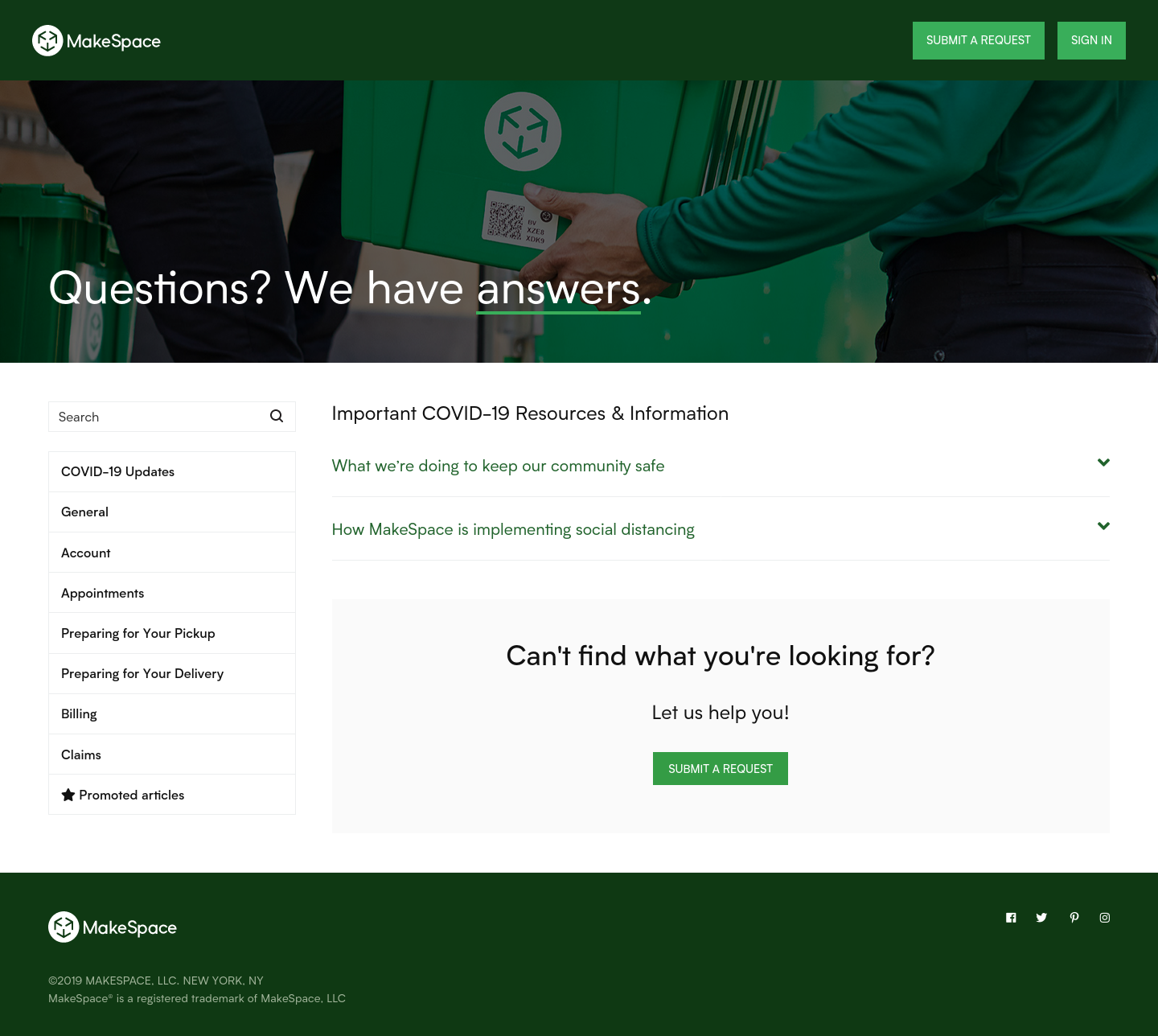
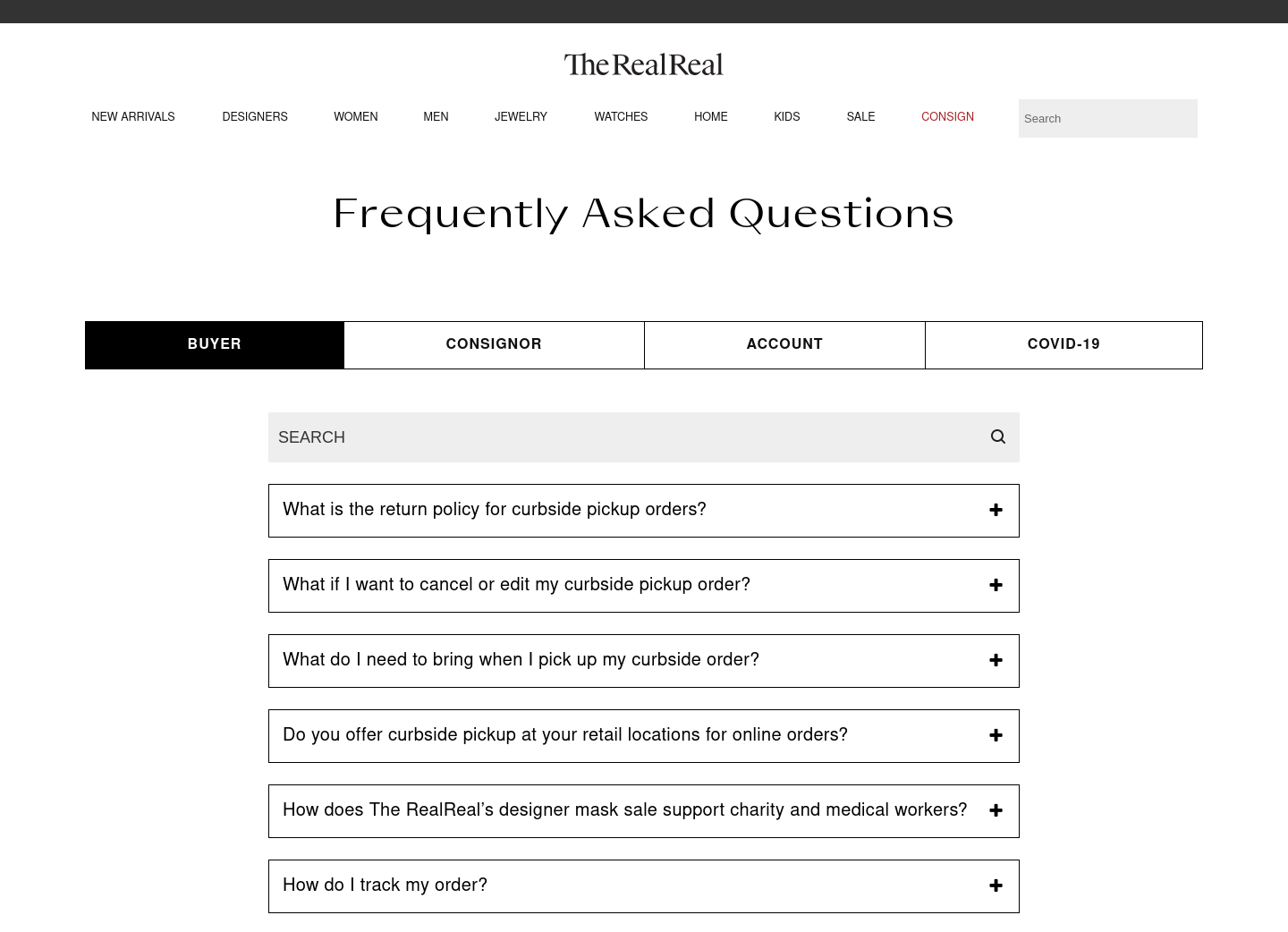
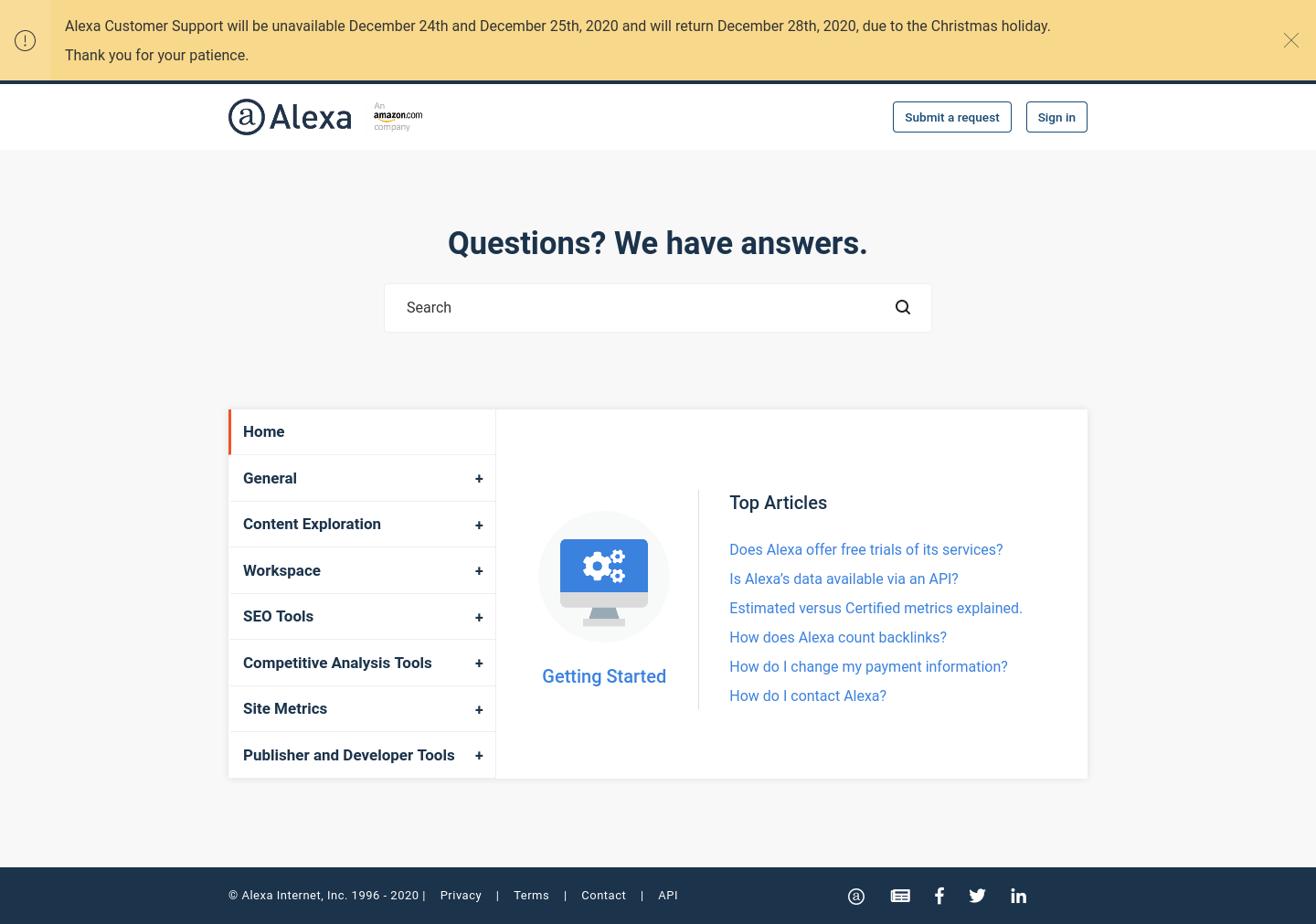
Want to see more Zendesk Guide examples?
-
Products and services pricing
Themes pricing
You can find the price for each of our themes in our catalog. The price of a theme includes its purchase and installation to your Zendesk Help Center. Any Zendesk template or service will cost you exactly the price specified in the catalog.
Services pricing
- Some of the services (such as branding) are rather standard, and you can find the price for each of them in our catalog.
- The cost of other services (such as customization) depends on the level of difficulty and is calculated separately in each case. Just share your customization requirements with us, and we will calculate the cost.
- During the checkout process, you may see some additional offers appear, such as services or options that you can add to your cart. However, we do not have any hidden costs involved in our template sales.
- If you decide to order additional options later, it will feature as a separate order.
Free services
Some of the services (such as installation) are free, since they don't require a lot of time.
No hidden payment
- No monthly fee! All prices are one-off.
- No extra payments.
- No taxes.
- No commissions.
- It doesn’t matter whether you use an existing Help Center or create a new one, or how much content or how many agents you have.
- The prices you see in the catalog or cart are final.
Note
Zendesk plan price is not included in the template price. You’ll need to purchase a Zendesk plan subscription and template separately.
-
Products and services support
All the issues will be fixed
Our specialists are highly qualified professionals. It doesn’t matter what your question is about — design, layout, using the code in Zendesk architecture — we will always help and find a solution for you! For each request, we have an expert who can fix it best.
If any problem occurs during the installation process, or if the theme for some reason works differently than expected, or an error occurs during the download or if you need general getting started instructions, you can always rely on our Customer Support for free.
Warranty
We provide warranty coverage for all our themes for three months. There is almost no chance of encountering a mistake in our templates as all of them are tested thoroughly before sale. Nevertheless, in case of any mistakes, we’ll do everything possible to correct them immediately. We always stay in touch to help you with any possible issues.
You can also get an additional guarantee for 12 months by purchasing one of our annual protection plans with extra benefits.
-
Information for non-developers
You don’t have to worry if you don’t have programming experience or Zendesk structure knowledge. You do not need it with us. We do all the work on the turnkey basis. We can install the theme to your Help Center, test how it works, apply Branding or Customization service to it. Just tell us your demands, and we will implement them in the best way.
If you and your colleagues are familiar with HTML and CSS 👍, then it's rather simple to make changes to the theme individually. But even in this case if you prefer not to spend time on it, we can do it for you.
Themes
-
What you can do yourself with themes
This option is available for customers with Guide Professional, Enterprise, or Legacy plan.
Theme installation
You can install your new theme fast and in a hassle-free manner. Follow the instructions in our step-by-step Theme installation guide, and your Zendesk help center will be up and running in no time. Need help installing the theme? You can order our free installation service.
Changes via the Customize design panel without a single line of code!
Our themes have advanced tools for basic changes (colors, fonts, hero image, icons & homepage layout). All you need is the Zendesk theme editor to make these changes. You can also order branding service from us.
You can change the following elements without coding:
- Name of your Help Center;
- Logo;
- Favicon;
- Main colors;
- Fonts;
- Icons;
- Main hero image (in case the theme contains it);
- Home page layout;
- Colors for formatting components;
- Social media links.
Changes via code
If you have basics of HTML and CSS, you can customize our themes for Zendesk Guide at any time. You get access to the source code that’s easy to read and modify for other developers.
As all our templates follow the industry code standards, and they are well optimized, theme maintenance and customization will be easy. Even if you messed something up, you could quickly fix the problems.
- Colors;
- Fonts;
- Icons (we usually use Streamline Icons, but it is possible to use any others as well);
- Links;
- Logo return URL;
- Header;
- Footer;
- Layout changes. For example, number of columns;
- Anything else...
Note
If you change the theme on your own we will be unable to install all further updates of the theme, and support of the theme will not be available.
Changes via Lotus Themes
If you prefer not to spend time, we can do all the changes for you. We have Branding and Customization services.
We will create a demo Help Center where you will be able to check all the changes. Afterward, we will install the modified theme on your Help Center where you can test everything with your content in the preview mode. Only after that you can publish the theme.
The best way to start is to complete our questionnaire. It will take you a couple of minutes and will help us to understand your case and recommend the best solution.
You can also contact us via the ticket form or hello@lotusthemes.com
-
Home page options
Explore the main page structure and how you can change it, all possible options and adjustments review.
Main layout options
Usually, а Home page template of a theme consists of three main blocks.
-
Custom blocks
Custom blocks are just links to any pages you want. It could be a page on your main website or a Category/Section/Article at your Help Center. They are just placeholders and are completely optional. Once there are more than the default number of icons, a new line is created. Usually, we use Streamline Icons, but it is possible to use any other icons too.

-
List of categories
Each category is presented as a tile. By clicking on a tile, you open a category page.

-
Categories tree
This is a list of categories in a Help Center. Each category contains a list of sections. Each section contains a list of six articles with a link to more articles if there are any.

Mix them!


You can view the main options in our demo Help Centers for each theme. Check the widget in the left-bottom corner of the demo main page.

Additional layout options
You can also quickly turn on or off “Promoted articles” and “Browse Community” blocks and move them on your Homepage.

Other options
Any part of our templates can be changed. It is possible to make any change, from color changes to complete layout redesign. Check out the "What can be changed" article for more details.
-
-
Terms of Service
Important information about the terms of use for our products for Zendesk Help Center.
You can
- Use the chosen theme with Zendesk Help Center on your own. You can use it for yourself, your employer, or client, who must be the end user of your work.
- Modify the chosen template to meet your needs on your own or order our services to modify it. With each theme, you are granted a non-exclusive, worldwide license, allowing you, or your single client, to create a single end product.
- Use templates purchased on LotusThemes.com for a single domain only, whether they are published or not. You can use the theme with additional Zendesk Help Centers if you have multibrand licenses.
You can not
- Share, resell, barter, trade or give away a single theme multiple times in its original or modified form. If you want to give a template to more than one client, you will need to purchase a new one every time you want to sell it.
- Claim intellectual or exclusive ownership of any of our products, modified or unmodified. The intellectual property rights of the purchased theme remain the property of Lotus Studio LLC. If we discover unauthorized distribution of our intellectual property, the original license may be voided without refund, and all Help Centers using the original code or unauthorized copies must cease using them immediately. In such cases, we reserve the right to take legal action against you.
- Make more than one Help Center using the same Zendesk theme (to make another Help Center with the same template you have to purchase a multibrand license).
- Provide rival companies with access to the theme.
- License templates and make them available on your website for your users to download.
- Demonstrate our templates for commercial purposes without credit to Lotus Themes.
- Add a theme code or its parts to public repositories (GitHub, GitLab, Bitbucket, etc) because it will be available to everyone on the Internet and can be used as an unauthorized copy. The code of a theme or extensions in its original or modified form can be used only by the company that made a purchase.
You agree to take all commercially responsible steps to prevent your third parties from duplicating any theme. If you become aware of any unauthorized use of any LotusThemes.com templates for Zendesk Help Centers, please notify us at hello@lotusthemes.com.
-
Themes compatibility
This article shows that our themes are all-purpose.
Our themes are compatible with:
- Various devices,
- All popular web browsers,
- Zendesk plans:
- Guide Professional,
- Guide Legacy,
- Guide Enterprise;
- Applicable Zendesk versions:
- Help Center;
- Languages:
- All the 40+ languages supported by Zendesk;
- Help Center pages:
- All the Help Center pages.
-
How themes affect content?
Our themes don't affect any Help Center content or content management options. You can edit Articles, Categories, etc. as normal by using the built-in Zendesk Editor.
Moreover, there are some additional features that become available after installing our themes: the Knowledge Base and Community can be filled with some cool visual components and Font Awesome icons.
Services
-
Branding service FAQ
What is included?
The offer includes basic changes: colors, fonts, logo, hero image, and custom icons. If you need extensive changes, we can help you with our Customization service.
Open product pageHow much will it cost?Take a look at our Product page to learn about pricing information.
How long will it take?The process takes around 1–5 working days. We will create a demo Help Center where you will be able to check all the changes. Then we can install the modified theme to your Help Center (free of charge).
How are the changes deployed?After you’ve made the purchase, you should send us your branding information.
After we get your brand assets, we create a demo Help Center, where you can check all the changes. Afterward, we install the theme on your Help Center where you can test everything with your content in the preview mode. You check the changes and publish everything when you are ready.
Can it be purchased later?You can do it whenever you want.
Branding examples


Brandcast
(moved to another our theme recently) -
Customization service FAQ
What is included?
This service is developed to completely meet all your requirements. For example, we can make the header and footer of your Help Center the same as on your main website, change any elements or the full layout of the theme and much more.
If you need more basic changes, use the Branding service instead.
Open product pageHow much will it cost?The cost of this service depends on the level of the task difficulty and is calculated individually in each case. The best way to start is to complete our questionnaire. It will take a couple of minutes and help us to understand your case and recommend the best solution. You can also contact us via the ticket form or write to us at hello@lotusthemes.com
How long will it take?It depends on the level of the task difficulty and is calculated individually in each case. The best way to start is to complete our questionnaire. It will take a couple of minutes and help us to understand your case and recommend the best solution. You can also contact us via the ticket form or write to us at hello@lotusthemes.com
How are the changes deployed?We create a demo Help Center where you can check all the changes. Afterward, we install the theme on your Help Center where you can test everything with your content in the preview mode. You check the changes and publish everything.
Can it be purchased later?You can do it whenever you want.
Can my existing theme be customizedWe don't customize themes created by other developers. We always use one of our themes as a basis. It is reasonable because they are already completely responsive and properly tested.
The best way to start is to complete our questionnaire. It will take a couple of minutes and help us to understand your case and recommend the best solution. You can also contact us via the ticket form or write to us at hello@lotusthemes.com
Can I customize a theme on my own?This depends on your level of experience with Zendesk and web development. All our Zendesk templates are provided with editable source files and can be customized according to your requirements.
Please note that all the future updates to the theme will not be available for automatic installation and support of the theme will not be available either.
Customization examples


-
Installation service FAQ
What is included?
The offer includes free installation to your Help Center, customized icons and the home page layout setup.
Open product pageHow much will it cost?Installation is free.
How long will it take?The installation normally takes 12-48 hours. The amount of time depends on the product, as well as on the time lapse between our staff’s correspondence with you and your replies.
How is new theme deployed?One of our developers will contact you after the purchase to get temporary access to your portal (URL, login, and password). We install the theme to your Help Center, where you can test everything with your content in the preview mode. You check the changes and publish everything.
Can it be purchased later?You can do it whenever you want.
Can I install a theme on my own?Yes, you can. Read our instructions on theme installation.